Stop managing data in Excel: Introducing SchemaStudio
More and more organizations are enriching their dashboards with data that doesn't live in core systems — things like budgets, shift schedules, machine capacity, team targets, or temporary adjustments. In almost every case, that extra data lives in Excel.
And to be fair, Excel is flexible. It works.
But it also breaks. A lot.
Once you start building serious dashboards and reporting logic on top of Excel files, the cracks begin to show:
- Someone changes a column name — and your dashboard breaks.
- You add a new row with a typo in a key field — and the numbers don’t add up anymore.
- You manually enter employee IDs, customer names or project codes — even though that data already exists elsewhere.
At some point, you realize you're duplicating what's already in your systems, and introducing risk and inconsistency in the process.
We've seen this happen with many of our clients. That's why we built SchemaStudio.
A simple way to manage custom data — centrally, reliably, and without technical skills
SchemaStudio lets you create and manage your own data tables directly in your data warehouse. Think of it as a lightweight interface for business users to input and maintain the data that matters most to them — without needing access to the backend, and without needing to learn SQL.
Just open SchemaStudio, create a new table like budget_targets or account_link, define the fields, and start entering or editing data. You can link fields to other tables — so you never have to enter duplicate values or look up IDs manually.
SchemaStudio takes care of:
- storing your changes in the right format,
- applying validations and constraints,
- and ensuring consistency with the rest of your data model.
This way, your Excel files can finally retire — and your dashboards become more reliable, accurate, and future-proof.
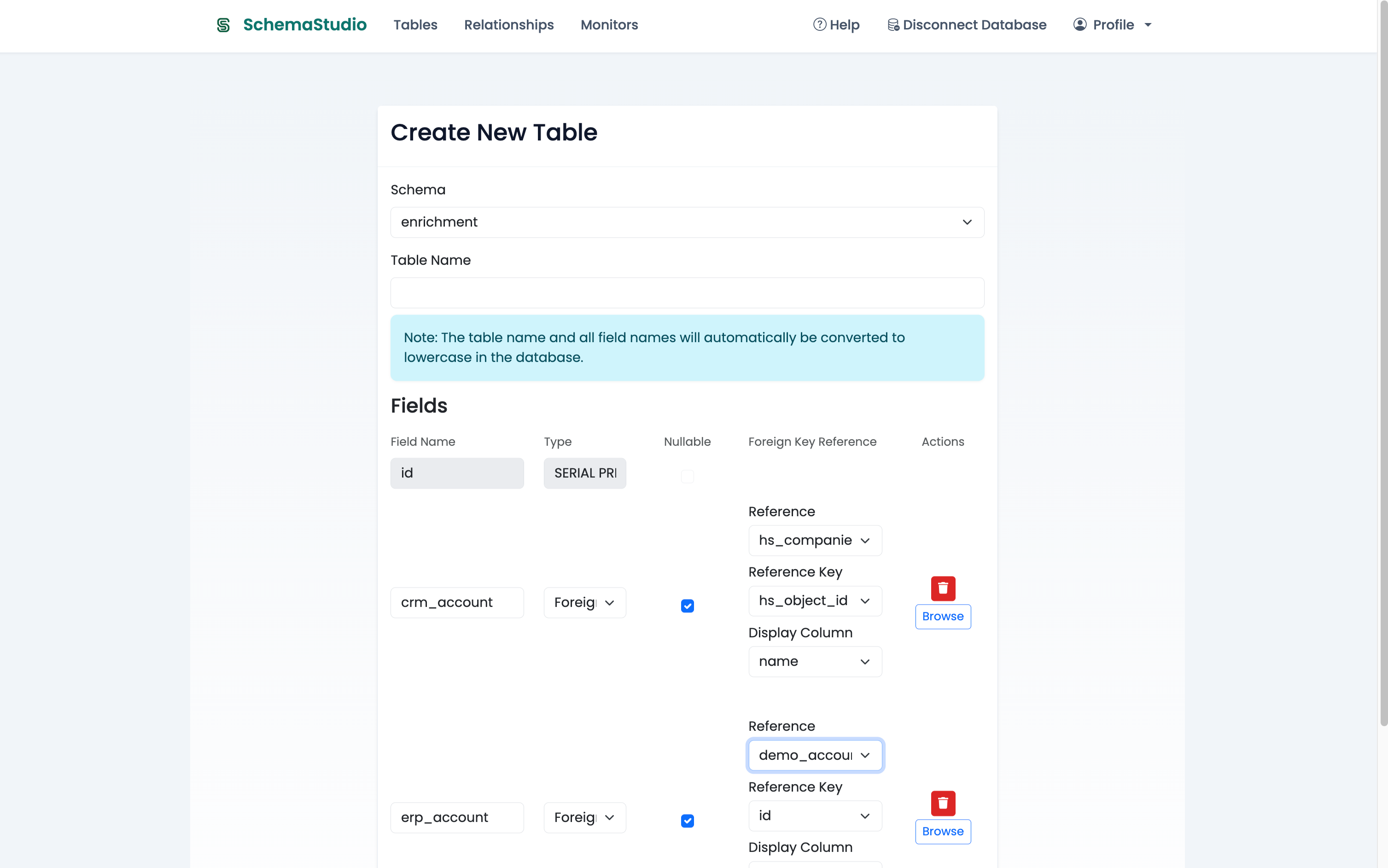
Define new tables with structured fields — and link them to existing data sources to avoid duplication.
Add and update your records — with confidence
Once you've created your table, adding or editing records is just as straightforward. Whether you're maintaining a list of targets, linking customer accounts, or adding metadata to existing structures — you simply open the table and start updating.
SchemaStudio ensures that:
- you only edit the tables you've created within the app,
- validation rules keep your data clean,
- and relationships stay intact through linked fields.
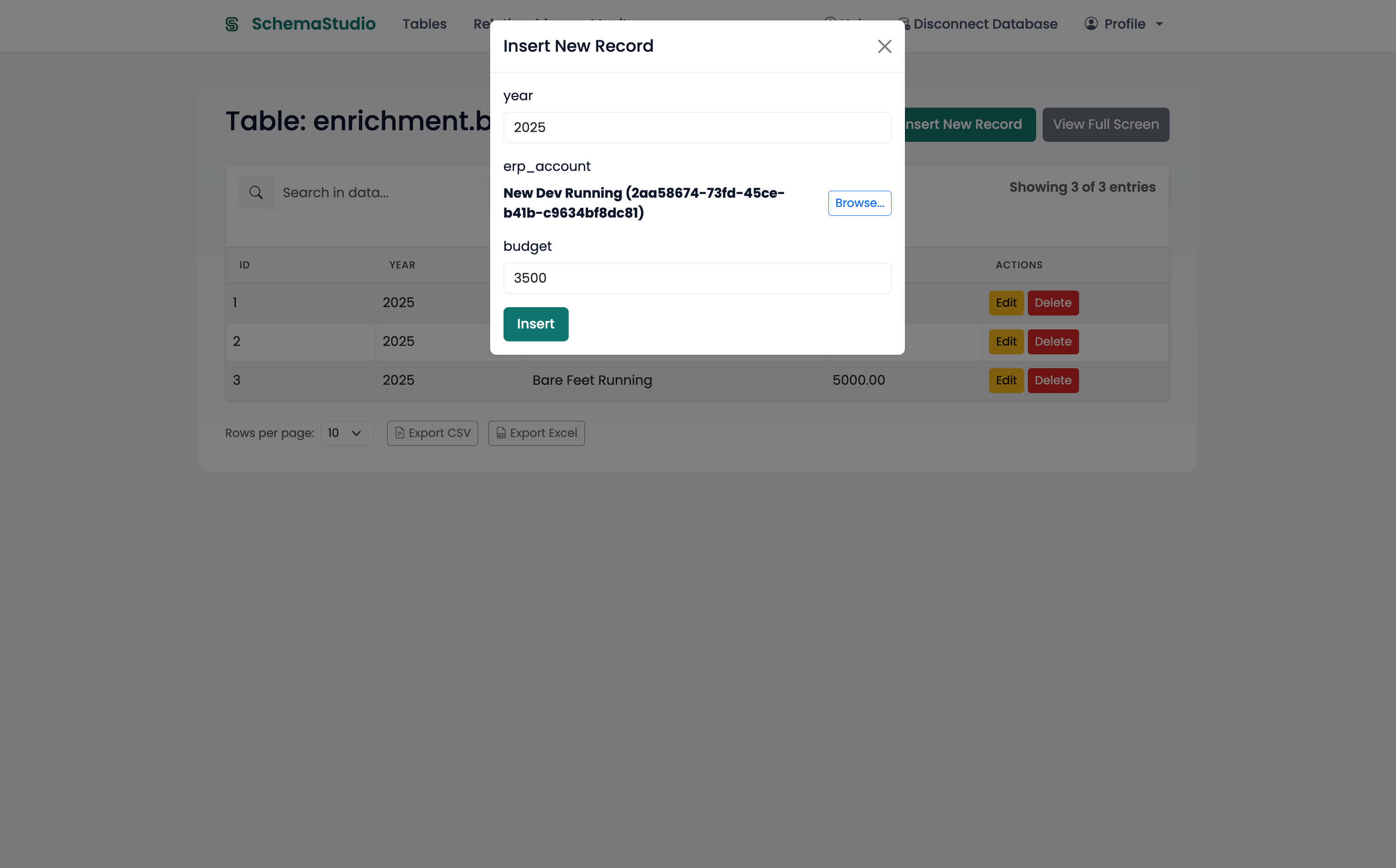
Add or update records using a clean, user-friendly interface — with validations and field links built in.
View, search and link your data — safely
SchemaStudio is not meant to change existing system data — such as replicated ERP tables. Those tables are view-only by design.
But you can search across them using our intuitive search bar. You'll instantly find relevant records, even in large datasets.
What you can edit are your own custom tables — which you define and control entirely.
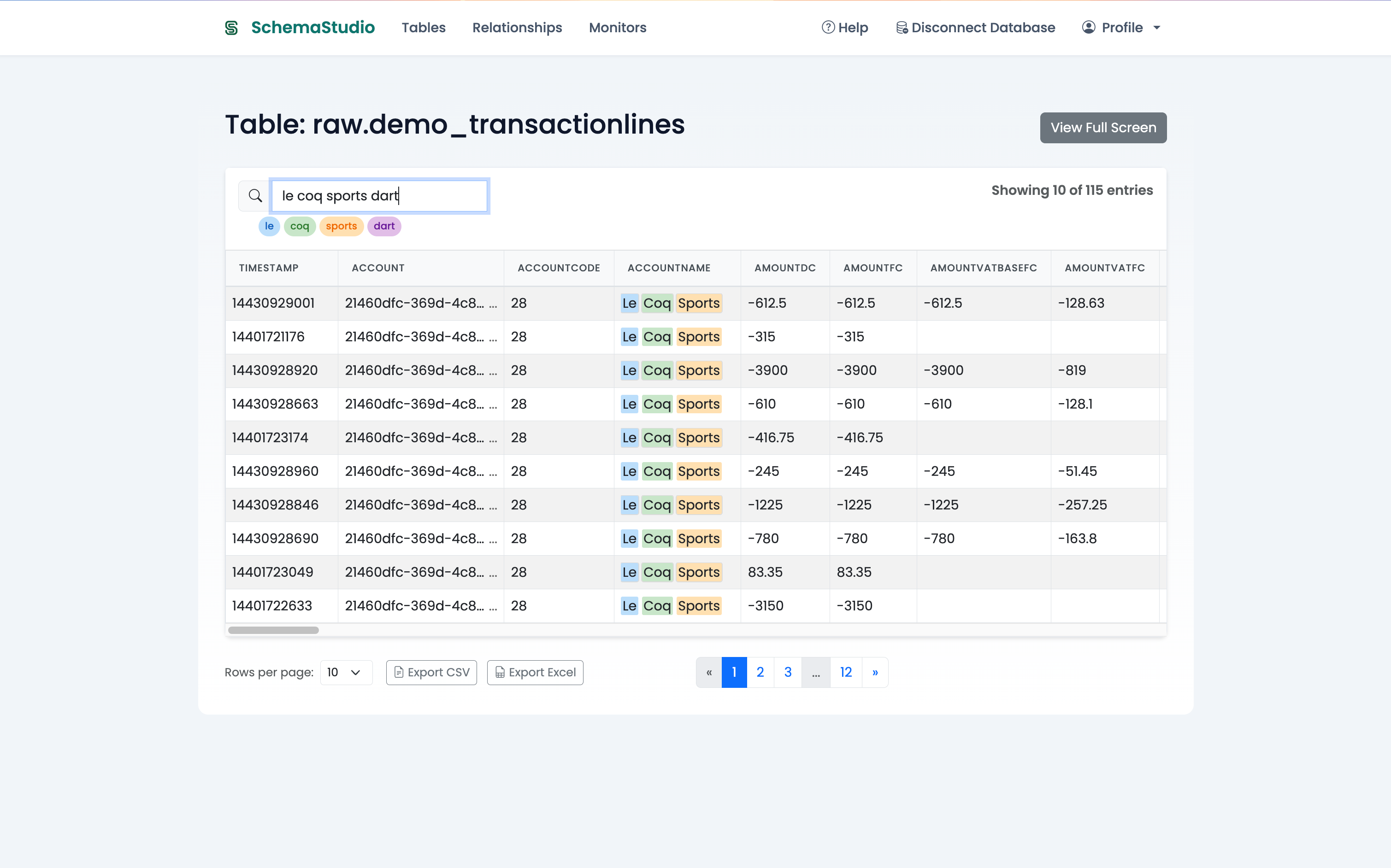
Search any dataset with a single input — results are clearly tagged to show why they match.
And with monitoring tasks, you can ensure important data connections don't fall through the cracks.
For example: easily check whether all customers from your ERP have been linked to CRM accounts — and take direct action to complete those connections.
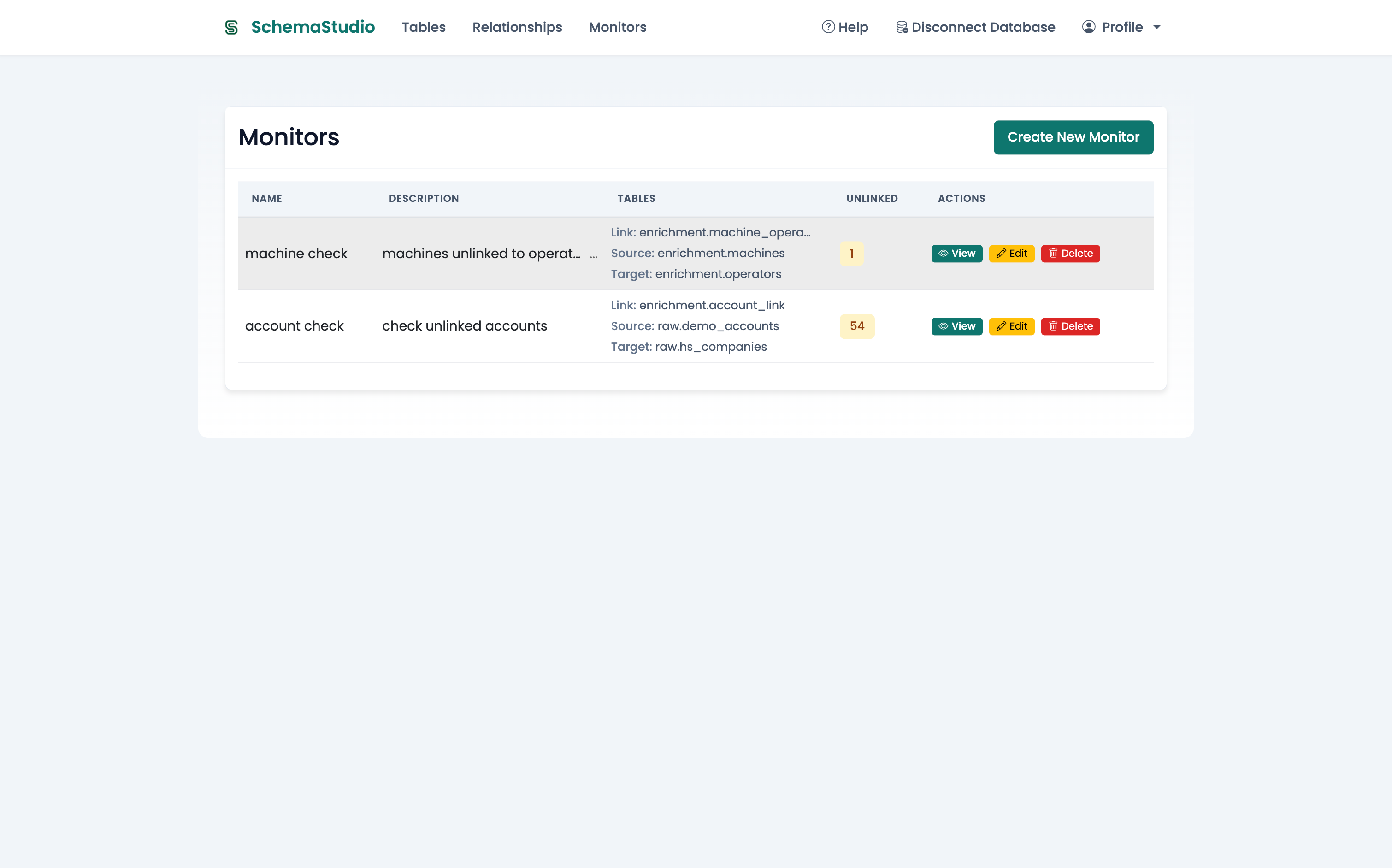
Set up monitors to detect missing links between systems — and resolve them directly from the overview.
Built because our clients needed it
SchemaStudio started with a client request. They wanted a simple and structured way to:
- link records between their CRM and ERP system, and
- add reporting layers that didn't fit into their ERP structure — without building a custom app.
There was no out-of-the-box solution that allowed them to do this safely, centrally, and without developers. So we built one.
Built on your existing database rights
SchemaStudio fully respects the permissions already defined in your database. It doesn't add a second layer of access control or try to bypass roles.
This means:
- You always remain in control of who can see or change what.
- Administrators don't have to manage permissions in multiple places.
- There's no risk of users accessing or editing data they’re not supposed to.
Simple, secure, and aligned with your existing governance.
Platform support
SchemaStudio currently works on PostgreSQL.
Support for Microsoft SQL Server, BigQuery and Snowflake is coming soon.
Ready to close the Excel gap?
SchemaStudio is now available for early adopters.
If you're working with Power BI, Tableau, or any other BI tool — and still juggling Excel files to fill in the gaps — we'd love to show you what's possible.
Join a 15-minute live demo to get a personal walkthrough of SchemaStudio and ask your questions:
Or reach out directly at [email protected].